
Description
Description
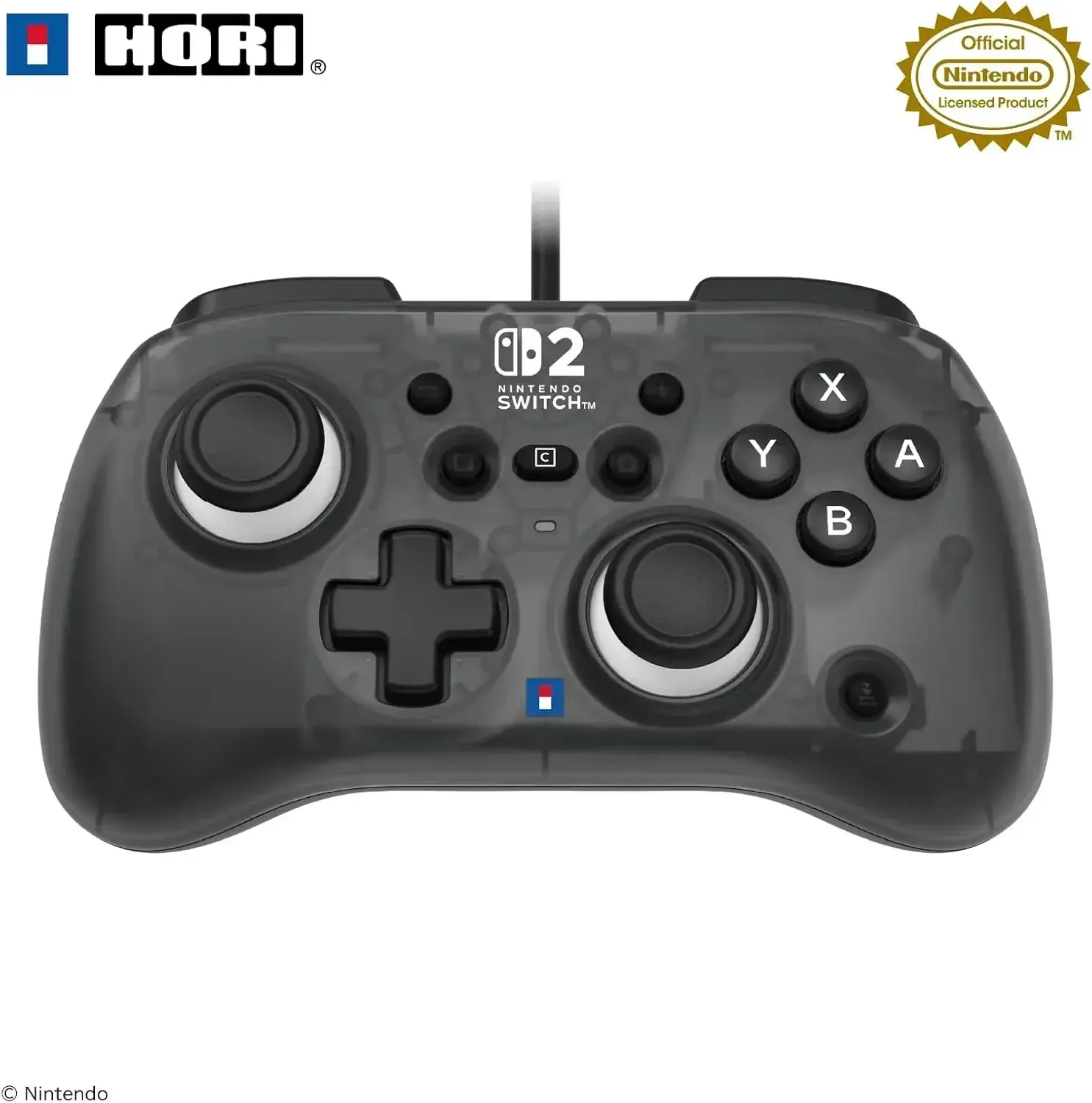
The Hori Horipad Turbo Mini gamepad offers a compact, officially licensed design, perfect for gamers seeking comfortable control in a smaller form factor. Its ergonomic rounded grip and light construction ensure ease of use for younger players and those with smaller hands, fostering confident gameplay.
This mini gamepad is engineered for responsive action, featuring TURBO and continuous fire hold capabilities, allowing you to configure rapid button inputs for compatible titles. It also integrates a dedicated C button for swift game chat access, making it a practical accessory for daily Nintendo Switch 2 sessions and seamless use with the Nintendo Switch and Nintendo Switch OLED Model.
Details
• Product Material: Plastic
• Manufacturer: HORI
• Made in: China
Features
Officially licensed and confirmed for seamless compatibility with Nintendo consoles
Compact, miniature design facilitates effortless handling, particularly for smaller hands
Ergonomic rounded grip provides a secure and comfortable grasp
TURBO functionality enables swift, continuous firing in supported game titles
Sustained fire hold mode permits repeated inputs without needing to depress the button
Adjustable button actuation speed, configurable to roughly 5, 10, or 20 presses per second
Features a C button for rapid entry into game chat
Universally compatible with Nintendo Switch 2, Nintendo Switch, and Nintendo Switch OLED Model
Wired USB Type-A connectivity, featuring an approximate 9.8 ft (3m) cable
Appropriate for all age groups
How to use
To use, simply connect the gamepad to your Nintendo Switch 2 or any compatible Nintendo Switch console via the provided USB Type-A cable. Ensure your console’s system software is updated to the most recent version prior to initial use if necessary. Activate the TURBO button in conjunction with your desired continuous firing button, then select the optimal speed for your game. The C button provides swift entry to game chat where supported, and the device is ready for immediate use upon connection, requiring no wireless pairing.
Care instructions
Clean the gamepad with a soft, either dry or lightly dampened cloth following each use. Protect it from moisture, extreme temperatures, particulate matter, and aggressive cleaning agents. Keep the device in a cool, arid environment, being careful not to tug or sharply flex the cable. Refrain from employing abrasive substances on the buttons or grip area, and always disconnect it gently when not actively in use.